
Website Speed Matters: How to Make Your Website Faster and Improve User Experience
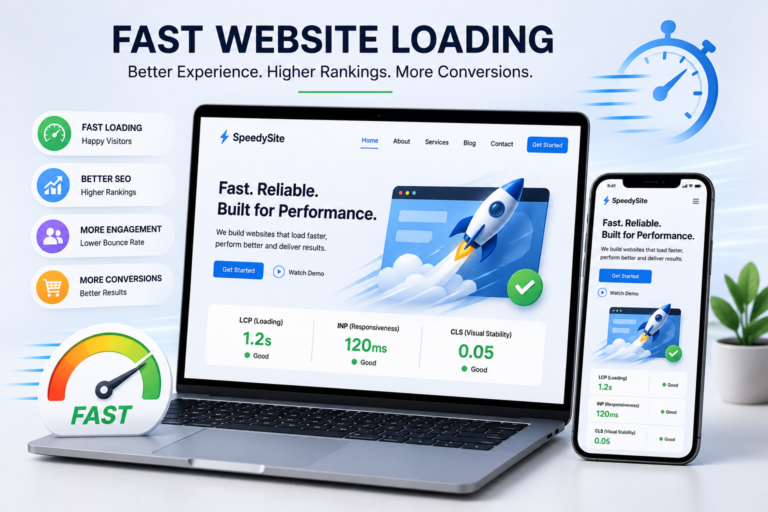
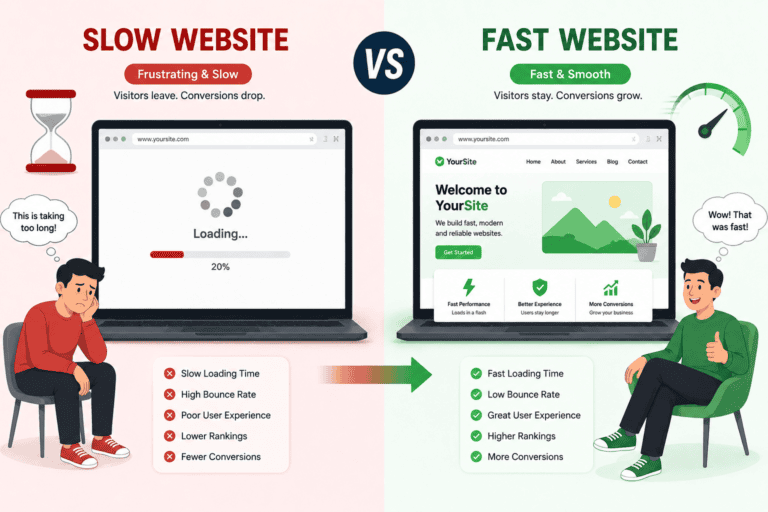
In today’s digital world, visitors expect websites to load quickly. A website that takes too long to load can frustrate users, increase bounce rates, and reduce conversions. Website speed is therefore not just a technical issue—it is an important part of providing a great online experience.
Google also recommends achieving good Core Web Vitals because they measure important aspects of real-world user experience, including loading performance, responsiveness, and visual stability.
What Is Website Speed?
Website speed refers to how quickly a web page loads and becomes usable after a visitor opens it.
Several factors influence website speed, including:
- Server response time
- Image and video file sizes
- JavaScript and CSS
- Website hosting
- Browser caching
- Content delivery networks (CDNs)
- Third-party scripts
- Website design and plugins
A fast website allows visitors to access information quickly and interact with the page without unnecessary waiting.
Why Is Website Speed Important?
1. Better User Experience
Nobody likes staring at a loading screen.
When pages load quickly, visitors can find information, browse products, read articles, and complete actions more easily. A smooth experience can encourage visitors to stay longer and explore more of your website.
2. Better SEO Performance
Website speed and page experience are important considerations for Google Search. Google recommends that websites provide a good overall page experience, including strong Core Web Vitals. However, good Core Web Vitals alone do not guarantee high rankings; useful and relevant content remains extremely important.
3. Improved Mobile Experience
Many visitors access websites through smartphones. Mobile users may also be browsing on slower or less stable connections.
Optimizing your website for speed can make your pages easier and more comfortable to use on mobile devices.
4. More Conversions
A faster website can reduce friction during important actions such as:
- Filling out a contact form
- Making a purchase
- Booking an appointment
- Signing up for a newsletter
- Downloading a resource
The easier your website is to use, the fewer obstacles visitors face before taking action.
Understanding Core Web Vitals
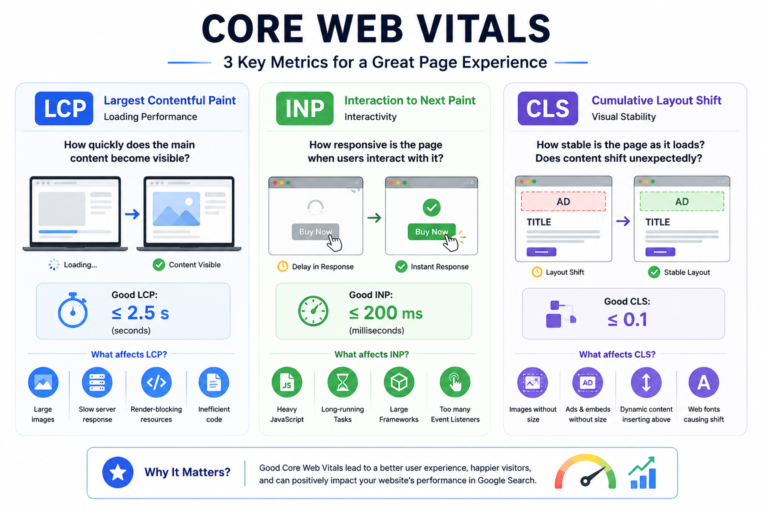
Google currently uses three Core Web Vitals to measure important aspects of page experience:
LCP – Largest Contentful Paint
LCP measures loading performance. Google considers an LCP of 2.5 seconds or less to be a good result.
In simple terms, LCP helps answer:
“How quickly does the main content become visible?”
Large images, slow servers, render-blocking resources, and inefficient code can affect LCP.
INP – Interaction to Next Paint
INP measures how responsive a page is when users interact with it.
A good INP is 200 milliseconds or less.
Heavy JavaScript and long-running browser tasks can make buttons, menus, forms, and other interactive elements feel slow.
CLS – Cumulative Layout Shift
CLS measures unexpected movement of content while a page is loading.
A good CLS score is 0.1 or less.
For example, imagine clicking a button just as an advertisement or image suddenly loads above it and pushes the button downward. That is the kind of frustrating experience CLS helps identify.
Common Reasons Why Websites Are Slow
Large Images
High-resolution images can consume significant bandwidth and increase loading time.
Use appropriately sized images and modern formats where suitable. Compress images before uploading them and avoid serving a huge image when a smaller version would look just as good.
Too Much JavaScript
JavaScript can make websites interactive, but excessive or inefficient JavaScript can delay rendering and user interactions.
Remove unnecessary scripts and consider loading non-critical scripts later when appropriate.
Unoptimized CSS
Large or inefficient CSS files can increase the amount of work a browser needs to perform.
Minifying CSS and removing unused styles can help reduce page weight.
Slow Web Hosting
Your hosting environment plays an important role in website performance.
A slow server can increase the time it takes for visitors to receive the initial response from your website.
Too Many Plugins
For websites using a content management system, installing too many plugins can introduce additional scripts, stylesheets, database queries, and other overhead.
Review your plugins regularly and remove those you no longer need.
Third-Party Scripts
Analytics tools, advertising platforms, chat widgets, social media integrations, and other third-party services can affect performance.
Only use the scripts that provide genuine value to your visitors or business.
7 Effective Ways to Improve Website Speed
1. Optimize Your Images
Images are often among the largest resources on a webpage.
Consider:
- Compressing images
- Using appropriately sized images
- Using modern image formats where supported
- Lazy-loading below-the-fold images
- Avoiding unnecessarily high-resolution images
2. Enable Browser Caching
Caching allows browsers to store certain website resources so they don’t need to download everything again on every visit.
Effective caching can make repeat visits considerably faster.
3. Minify CSS, JavaScript and HTML
Minification removes unnecessary characters such as whitespace and comments from files.
Smaller files generally require less data to transfer, which can help improve loading performance.
4. Use a Content Delivery Network
A CDN can distribute website resources across multiple locations, allowing visitors to receive content from a location that is geographically closer to them.
This can be especially useful for websites serving visitors across different regions.
5. Reduce Unnecessary Scripts
Review the JavaScript and third-party services running on your website.
Ask:
“Does this script provide enough value to justify its performance cost?”
Removing unnecessary scripts can make your website lighter and more responsive.
6. Improve Server Performance
Choose reliable hosting and monitor server response times.
For growing websites, upgrading hosting infrastructure or optimizing backend processes may be necessary.
7. Test Your Website Regularly
Website performance can change whenever you add new plugins, images, scripts, themes, or features.
Regular testing helps identify problems before they significantly affect visitors.
Google recommends tools such as Search Console, PageSpeed Insights, and Lighthouse for measuring and diagnosing website performance.
[Image 4 – Website Speed Testing Dashboard / PageSpeed Concept]
How to Check Your Website Speed
Start by testing important pages on your website rather than checking only the homepage.
Pay attention to:
- LCP
- INP
- CLS
- Mobile performance
- Server response time
- Image optimization
- JavaScript execution
- Render-blocking resources
Google Search Console’s Core Web Vitals report provides performance ranges for URLs based on real-world user data, while tools such as PageSpeed Insights can help diagnose potential improvements.
Website Speed Is More Than a Perfect Score
It can be tempting to chase a perfect performance score.
However, a website should ultimately be optimized for people, not just testing tools.
Google itself notes that good Core Web Vitals are recommended for a great user experience and success in Search, but achieving good scores does not automatically guarantee top search rankings. Relevant, helpful content and overall page experience remain important.
The goal should be to create a website that feels:
Fast + Responsive + Stable + Useful
Final Thoughts
Website speed is an essential part of modern website development and digital marketing. A fast website can create a better experience for visitors, make mobile browsing easier, support strong page experience, and reduce friction during conversions.
Start with the biggest opportunities: optimize images, reduce unnecessary scripts, improve caching, review hosting performance, and monitor Core Web Vitals regularly.
A faster website isn’t simply about making numbers look better—it is about making it easier for real people to find information, interact with your website, and take action.
Fast websites create better experiences. Better experiences create happier visitors.
- d